
Understanding OPTIQ TPMS Relearn
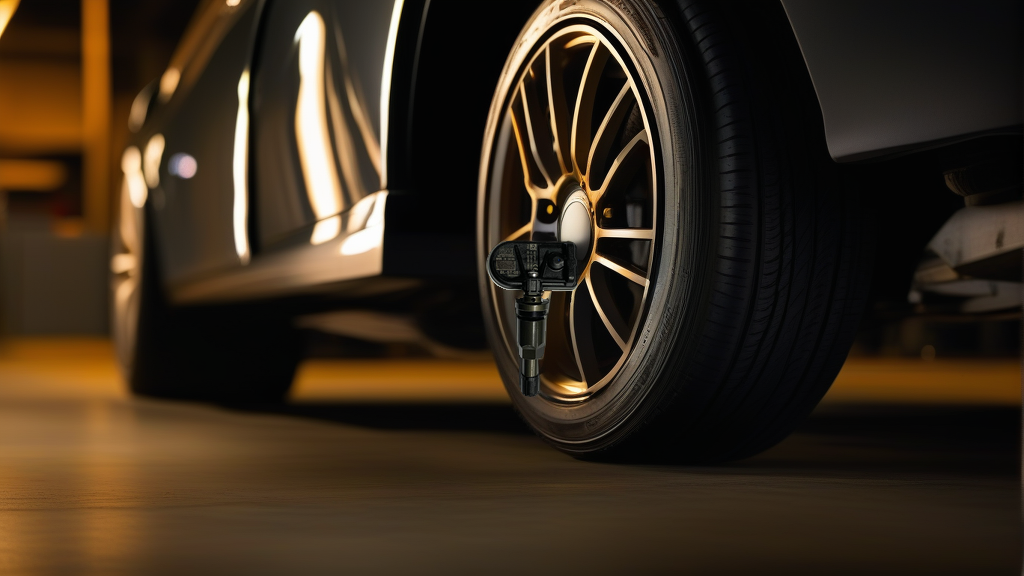
OPTIQ vehicles use direct TPMS sensors that monitor tire pressure in real time. After installing new sensors—such as the BL-ST-051 | BH-Sens 433MHz TPMS Tire Pressure Sensor | Fits Nio, Onvo | OE# P0242518, P0302230, P0385734—or after a tire rotation, the vehicle’s ECU must “learn” each sensor’s unique ID and assign it to the correct wheel position. Skipping this step will leave the TPMS warning light illuminated and disable pressure readings.
The relearn process varies slightly depending on the OPTIQ model year and whether the sensors are pre-programmed or programmable. The BH-Sens BL-ST-051 sensor is pre-programmed with multiple OE protocols, so it works with the vehicle’s native TPMS system without additional cloning.
Three Relearn Methods for OPTIQ
| Method | Tool Needed | Time Required | Best For |
|---|---|---|---|
| Auto Relearn | None (just driving) | 10–20 minutes | Tire rotation without sensor replacement |
| OBD Relearn | TPMS scan tool (e.g., Autel, Bartec, launch) | 2–5 minutes | Sensor replacement or rapid programming |
| Stationary Relearn | Vehicle infotainment menu + magnet or pressure change | 5–10 minutes | Older OPTIQ models (pre-2020) |
Auto Relearn (Drive to Sync)
This method is the simplest but requires patience. After installing new sensors or rotating tires:
- Inflate all tires to the recommended pressure (check driver door jamb sticker).
- Drive the vehicle above 25 mph (40 km/h) for 10–20 minutes on a straight road.
- The system will automatically detect sensor IDs and assign them to wheel positions.
- The TPMS light should turn off after the drive cycle.
Important: Auto relearn works best when you are NOT replacing sensors—only rotating tires. If you install brand-new sensors with different IDs, auto relearn may fail on some OPTIQ models. In that case, use OBD relearn.
OBD Relearn (Fastest Method)
This is the recommended method for BL-ST-051 | BH-Sens 433MHz TPMS Tire Pressure Sensor | Fits Nio, Onvo | OE# P0242518, P0302230, P0385734 sensor installation. You need a bidirectional TPMS tool:
- Connect the TPMS tool to the vehicle’s OBD-II port (under the dashboard).
- Turn ignition ON (engine off or running).
- Select “OPTIQ” or “NIO” as the vehicle brand in the tool menu.
- Choose “TPMS Relearn” or “Sensor Programming.”
- Follow the tool’s prompts to activate each sensor (trigger with the tool or a dedicated LF activator).
- Confirm sensor IDs are written to the ECU.
- Disconnect the tool, start the engine, and verify the TPMS light is off.
Pro tip: The BH-Sens BL-ST-051 sensor is pre-programmed with OE IDs for Nio and Onvo (OE# P0242518, P0302230, P0385734). In most cases, the OBD tool will automatically detect it. If the tool asks for a sensor ID, you can read it from the sensor’s label before installation.
Stationary Relearn (Infotainment Menu)
Some OPTIQ models (especially 2018–2020) allow relearn through the vehicle’s settings menu:
- Park the vehicle, apply parking brake.
- Turn ignition ON.
- Navigate to Settings > Vehicle > Tire Pressure Monitoring.
- Select “Relearn” or “Sensor Learning.”
- The system will prompt you to activate each tire in a specific order (usually Left Front, Right Front, Right Rear, Left Rear).
- To activate a sensor, either:
- Use a TPMS activation tool near the valve stem, OR
- Rapidly deflate/inflate the tire by 10 psi (check your manual for exact method).
- The horn will chirp or lights will flash after each sensor is learned.
- Repeat for all four wheels.
Which Method Should You Use?
- If you just replaced sensors: Use OBD relearn. It’s the most reliable and avoids driving blind.
- If you rotated tires without sensor replacement: Auto relearn is fine, but if the light stays on, switch to OBD.
- If you have an older OPTIQ (pre-2020) and no OBD tool: Stationary relearn will work, but you may need a separate TPMS trigger tool.
Recommended Part for OPTIQ TPMS Replacement
The BL-ST-051 | BH-Sens 433MHz TPMS Tire Pressure Sensor | Fits Nio, Onvo | OE# P0242518, P0302230, P0385734 is a direct-fit, pre-programmed sensor compatible with Nio and Onvo models that use 433MHz frequency. It covers OE numbers P0242518, P0302230, and P0385734. Because it’s pre-programmed, you do not need to clone an old sensor ID—just install it and run an OBD relearn. This saves time compared to programmable sensors that require manual ID copying.
FAQ
Can I reuse my old TPMS sensors on OPTIQ if I rotate tires?
Yes, but you must perform a relearn after rotation so the vehicle knows which sensor is at which corner. Auto relearn often works for rotation-only scenarios.
How long does the OPTIQ TPMS light stay on after sensor replacement?
The light may flash for 60–90 seconds then stay solid if the sensors are not learned. After a successful OBD relearn, the light should turn off immediately or within one ignition cycle. If it remains on, recheck sensor position and battery health.
Do I need to dismount tires to replace the TPMS sensor?
No—the BL-ST-051 is a clamp-in sensor that replaces the existing valve stem. A tire shop can install it without removing the tire from the rim in most cases, but it’s easier to do it during a tire change or rotation.
Will the BH-Sens BL-ST-051 work on my 2023 OPTIQ?
The BL-ST-051 is designed for 433MHz systems used by Nio and Onvo (which shares platforms with OPTIQ). Check your vehicle’s TPMS frequency on the sensor label or consult your dealer. If your OPTIQ uses 433MHz, yes, it will work after a relearn.