
Understanding the TPMS Warning Light in Your MULAN
The Tire Pressure Monitoring System (TPMS) in the MULAN uses direct sensors mounted inside each wheel. These sensors transmit pressure and temperature data at 433MHz to the vehicle’s receiver module. When the warning light appears—either solid or flashing—it indicates either a low-pressure condition or a system fault.
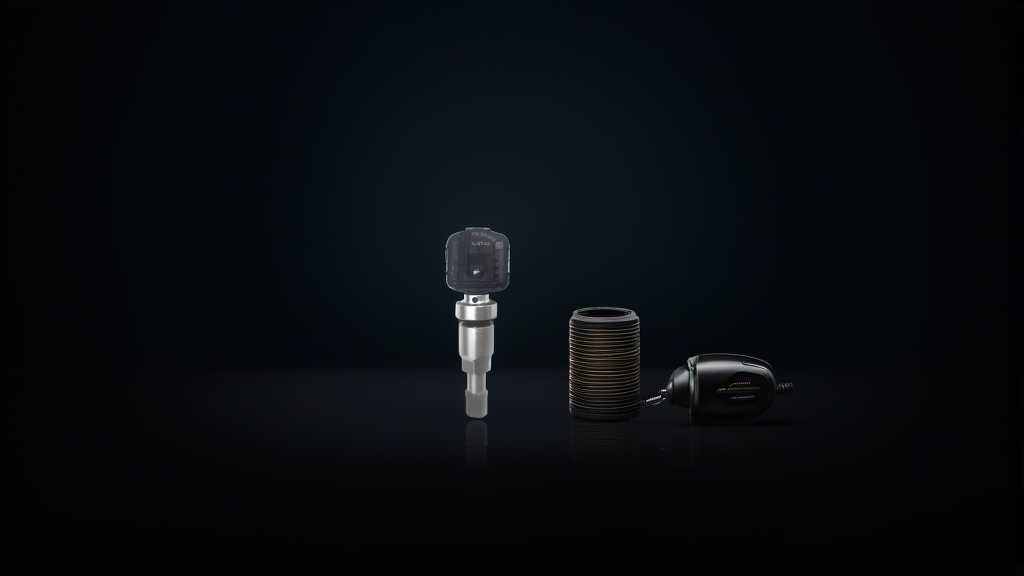
MULAN models typically use Baolong Technology sensors, which are pre-programmed and clamp-in style. The OE numbers 10290600, 10625492, and 10718213 correspond to the factory-fit sensors. If you need a replacement, the BL-ST-031 | BH-Sens 433MHz TPMS Tire Pressure Sensor | Fits Im, MG, Rising, Roewe | OE# 10290600, 10625492, 10718213 is a direct drop-in part.
Dead Sensor Battery Symptoms
How Long Do MULAN TPMS Sensor Batteries Last?
Factory-installed TPMS sensors in the MULAN have a battery life of 5 to 7 years from the production date of the sensor. If your MULAN is approaching this age range, battery failure is the most likely cause of the warning light.
Telltale Signs of a Dead Battery
- Warning light stays on solid after inflating all tires to the correct pressure
- No pressure readings displayed for one or more tires on the dashboard
- Intermittent light that appears only during cold starts and disappears after driving (battery voltage is marginal)
- All four sensors fail simultaneously – rare, but possible if the vehicle sat unused for an extended period
Testing for a Dead Sensor
You can confirm a dead battery using a TPMS diagnostic tool (such as an ATEQ or Bartec). The tool will attempt to trigger the sensor. If no signal is received within 3 to 5 seconds, the battery is dead. The sensor itself cannot be re-batteried; the entire sensor unit must be replaced.
Signal Interference Diagnosis
Common Interference Sources
The 433MHz frequency band is shared by many devices. In a MULAN, interference can come from:
| Interference Source | Typical Effect | Solution |
|---|---|---|
| LED headlight ballasts or strips | Random error codes, intermittent light | Relocate ballasts away from wheel wells |
| Dashcam power cables near the TPMS receiver | One or two wheels show no data | Route cables along the vehicle centerline |
| Aftermarket USB chargers in the 12V socket | Delayed or no signal from nearest sensor | Use shielded chargers or unplug when diagnosing |
| Metallic window tint (ceramic is safe) | Reduced range, weak signal | Avoid metallic tints on the windshield |
How to Differentiate Interference from a Dead Battery
| Symptom | Dead Battery | Interference |
|---|---|---|
| Affected wheels | Usually one at a time, then spreads | Often multiple wheels or all four |
| Light behavior | Solid on after inflation | Flashes briefly then stays solid |
| Signal recovery | Never recovers without replacement | Resumes when interference source is removed |
| Diagnostic tool response | No response at any distance | Weak or delayed response near the wheel |
Step-by-Step Troubleshooting for MULAN Owners
Step 1: Check Tire Pressure Manually
Use a reliable gauge. Inflate all tires to the pressure listed on the driver’s door jamb (typically 36–38 psi for MULAN). If the light goes off after driving a few miles, it was a low-pressure event.
Step 2: Look for Recent Aftermarket Additions
Think about what changed in the last 30 days. New dashcam? LED bulbs? USB charger? Remove or relocate them temporarily. Drive the car for 10 minutes. If the light clears, you’ve found the interference source.
Step 3: Use a TPMS Relearn Tool
Many MULAN models require a TPMS relearn after tire rotation or sensor replacement. If the light started after a tire service, the sensor IDs may need to be re-registered. A simple relearn tool (e.g., ATEQ Quickset) can fix this without disassembly.
Step 4: Test with a Diagnostic Tool
If steps 1–3 don’t resolve the issue, a professional TPMS tool will tell you which sensor isn’t communicating and whether the battery voltage is low. Sensors reading below 2.0V are borderline and should be replaced soon.
Recommended Part
For MULAN models requiring a 433MHz clamp-in sensor, the BL-ST-031 | BH-Sens 433MHz TPMS Tire Pressure Sensor | Fits Im, MG, Rising, Roewe | OE# 10290600, 10625492, 10718213 by BH-Sens (Baolong Technology) matches the OE specifications exactly. It is pre-programmed, so no cloning or programming is needed—just install it and perform a relearn.
FAQ
Can I replace just the battery in a MULAN TPMS sensor?
No. MULAN TPMS sensors are sealed units with non-replaceable batteries. Attempting to open the sensor will destroy the housing and void any safety certification. Replace the entire sensor unit.
How do I know if my MULAN uses 433MHz or 315MHz sensors?
Check the original sensor label or look up your vehicle’s year and trim. Most MULAN models built for the European and Asian markets use 433MHz. If you’re unsure, the BL-ST-031 sensor covers both common OE numbers for MULAN.
Will a dead TPMS sensor affect the MULAN’s driving safety?
A dead sensor will not affect vehicle handling or braking, but it means you won’t be warned of a slow leak or sudden pressure loss. It is safe to drive temporarily, but replace the sensor as soon as possible.
Can I drive with the TPMS light flashing?
A flashing TPMS light (usually for 60–90 seconds at startup) indicates a system fault, not a low tire. This often means a sensor has failed entirely. You can drive the car, but you are flying blind on that tire’s pressure.