
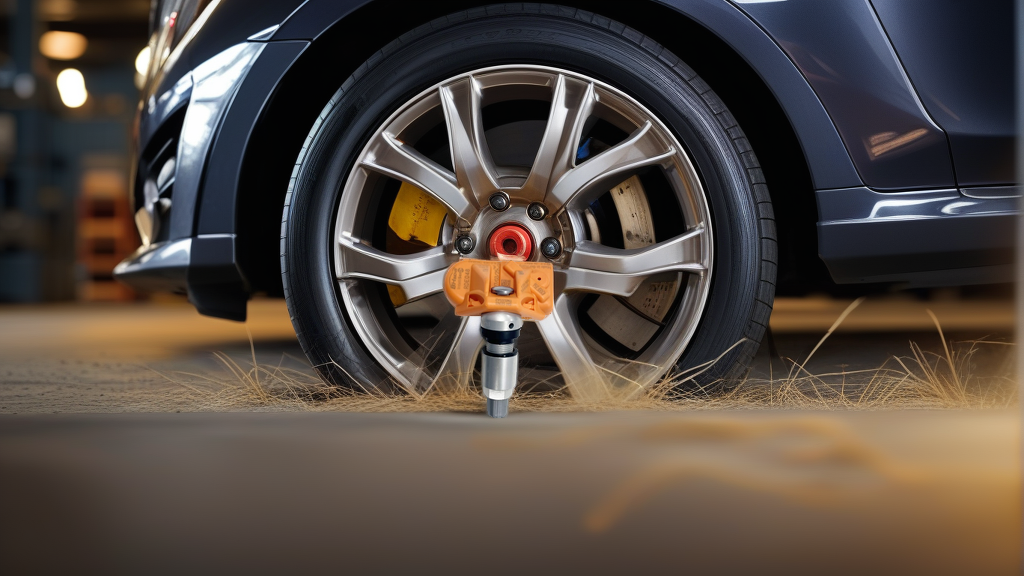
Understanding RAPIDE TPMS Relearn
RAPIDE, the luxury high-performance sedan from Aston Martin, uses a direct TPMS system where each wheel has a sensor transmitting pressure and temperature data. After replacing a sensor, rotating tires, or swapping wheels, the vehicle’s ECU must “learn” the new sensor IDs. Without a relearn, the TPMS warning light stays on, and pressure readings are blank.
The relearn method depends on your RAPIDE model year and whether you have original or aftermarket sensors. For most models (2010–2020), three methods are available: auto relearn, OBD relearn, and stationary relearn. We’ll cover each in detail.
Tools You’ll Need
Before starting, gather the right equipment:
- TPMS Trigger Tool – For stationary relearn (e.g., ATEQ VT56, Autel TS508, or a simple magnet for some RAPIDE models)
- OBD Relearn Tool – For OBD method (e.g., Autel MaxiTPMS, Bartec TPMS tool)
- Digital Tire Gauge – To ensure all tires are at correct pressure (check your owner’s manual for spec)
- Valve Core Tool – If swapping sensors
- Torque Wrench – For lug nuts (typically 100–110 Nm, but verify per your model)
- Smartphone or Note – To record sensor IDs (optional but helpful)
Note: The BH-Sens 433MHz sensor (RDE048V21) fits many RAPIDE models and is pre-programmed with OE-compatible IDs. It works with all three relearn methods below.
Method 1: Auto Relearn (Drive-Only)
The simplest method—no tools required. RAPIDE’s TPMS system automatically learns sensor IDs when you drive at sustained speeds. This works for most 2012+ models.
Step-by-step:
- Set tire pressures to the recommended cold pressure (usually 34–38 psi, check your door sticker).
- Drive the vehicle above 25 mph (40 km/h) for 10–15 minutes without stopping.
- Monitor the TPMS light – It should flash for a few minutes, then turn off solid, then disappear. If it remains on, try a longer drive or switch to another method.
- Verify – Use the vehicle’s TPMS display to confirm all four pressures show.
Pros: No tools, no extra cost.
Cons: Doesn’t always work if sensors use unique IDs not recognized by ECU. Not reliable for aftermarket sensors on older models.
Method 2: OBD Relearn (Fastest & Most Reliable)
Best for shops or owners with a TPMS scan tool. This method forces the ECU to accept new IDs instantly.
Step-by-step:
- Connect an OBD TPMS tool (e.g., Autel MaxiTPMS TS508) to the vehicle’s OBD-II port (under dashboard, driver side).
- Select “RAPIDE” or “Aston Martin” in the tool’s menu.
- Choose “Relearn” or “Program” – The tool may prompt you to trigger each sensor. Follow on-screen instructions.
- Trigger each sensor – Use the tool’s LF (low-frequency) activation or a magnet to wake the sensor at each wheel (starting front-left, then front-right, rear-right, rear-left). The tool confirms each sensor ID.
- Complete the process – The tool sends the IDs to the ECU. The TPMS light should turn off within 10 seconds.
- Test – Drive briefly to confirm.
Pros: Instant, works with all sensor brands, logs IDs for future reference.
Cons: Requires a $200–$500 tool.
Method 3: Stationary Relearn (Magnet or Trigger Tool)
Used on older RAPIDE models (pre-2012) or when OBD tool is unavailable. Requires a TPMS trigger tool or a strong magnet.
Step-by-step:
- Park the vehicle on a level surface, turn ignition ON (engine off).
- Locate the TPMS learn button – On RAPIDE, it’s often behind the glove box or under the steering column (check manual). Press and hold until the horn beeps twice.
- Start with the front-left tire – Hold the trigger tool or magnet against the wheel’s valve stem area (near the sensor). The horn will beep once to confirm.
- Move to front-right – Trigger that sensor. Horn beeps once.
- Rear-right – Trigger. Horn beeps once.
- Rear-left – Trigger. Horn beeps once.
- Wait – After the fourth beep, the horn will beep twice again to confirm completion. Turn ignition OFF, then restart.
- Verify – Check TPMS display.
Pros: No OBD tool needed.
Cons: More steps, requires physical access to each wheel. Not supported on all model years.
RAPIDE TPMS Relearn Compatibility Table
| Model Year | Auto Relearn | OBD Relearn | Stationary Relearn | Recommended Method |
|---|---|---|---|---|
| 2010–2012 | Limited | Yes | Yes | Stationary or OBD |
| 2013–2016 | Yes | Yes | No | Auto or OBD |
| 2017–2020 | Yes | Yes | No | Auto (easiest) |
| 2021+ | Yes | Yes | No | Auto |
Note: Always verify with your owner’s manual, as RAPIDE’s TPMS system evolved over years.
Choosing the Right Sensor for RAPIDE
Not all 433MHz sensors work on RAPIDE. The BH-Sens RDE048V21 is a direct-fit option covering OE numbers like 11B0015CP, 11B0022CP, 2000680, and many more. It’s a programmable sensor that clones original IDs, making relearn faster.
When replacing sensors:
- Use a sensor with the same frequency (433MHz for RAPIDE).
- Clone the original sensor IDs if possible (reduces relearn time).
- If cloning isn’t possible, ensure the sensor is compatible with your model year’s relearn method.
Common Mistakes & Troubleshooting
- Wrong pressure – TPMS won’t relearn if tire pressures vary too much. Set all to spec first.
- Dead sensor battery – If a new sensor doesn’t respond, it may have a dead battery (rare but possible). Test with a tool.
- Ignition off during stationary relearn – The process requires ignition ON. If you turn it off mid-process, start over.
- Using wrong trigger tool – Some RAPIDE models require a specific LF tool, not just any magnet. Check compatibility.
- Aftermarket sensor not programmed – The BH-Sens RDE048V21 comes pre-programmed, but some clones need manual ID entry.
Troubleshooting quick fix: If auto relearn fails after 20 minutes of driving, switch to OBD relearn. If the horn doesn’t beep during stationary relearn, check fuse #23 (TPMS module) under the hood.
Recommended Part
For a reliable 433MHz replacement that supports all three relearn methods on RAPIDE, use the RDE048V21 | BH-Sens 433MHz TPMS Tire Pressure Sensor | Fits Aston Martin, Audi, BMW, Bentley, Bugatti & 9 More | OE# 11B0015CP, 11B0022CP, 2000680. It’s a direct OE replacement for Aston Martin models including RAPIDE, with OE cross-references to 11B0015CP, 11B0022CP, 2000680, and others. Always verify fitment by model year or VIN before purchase.
FAQ
How do I know if my RAPIDE needs a TPMS relearn?
If the TPMS warning light stays on after replacing a sensor, rotating tires, or swapping wheels, a relearn is needed. Other signs include blank pressure readings on the dash or erratic pressure values. If the light flashes for 1–2 minutes then stays solid, the system is trying to learn but failing.
Can I use any 433MHz TPMS sensor on RAPIDE?
No. RAPIDE’s TPMS system is specific to Aston Martin protocols. The BH-Sens RDE048V21 is designed for this application, but generic 433MHz sensors may not communicate correctly. Always check OE number compatibility (e.g., 11B0015CP or 2000680) to avoid relearn issues.
Why won’t my RAPIDE auto relearn work after 30 minutes of driving?
Auto relearn requires steady speeds above 25 mph on a straight road. If you’re in stop-and-go traffic, the ECU may not collect enough data. Also, aftermarket sensors with non-cloned IDs often fail auto relearn. Try OBD relearn instead—it forces the ID acceptance in seconds.
Do I need a special tool for stationary relearn on a 2012 RAPIDE?
Yes. Older RAPIDE models (2010–2012) often require a TPMS trigger tool with LF activation (like the ATEQ VT56 or Autel TS508). A simple magnet may not work. The tool sends a radio signal to wake the sensor; magnets only work on very early systems. Check your owner’s manual for the specific tool type.