
First: Does Your Neta Even Have Direct TPMS?
Not every Neta uses battery-powered sensors in the wheels. Some trims run an indirect system that calculates pressure from ABS wheel-speed data — no sensors, no relearn, just a reset through the dashboard menu.
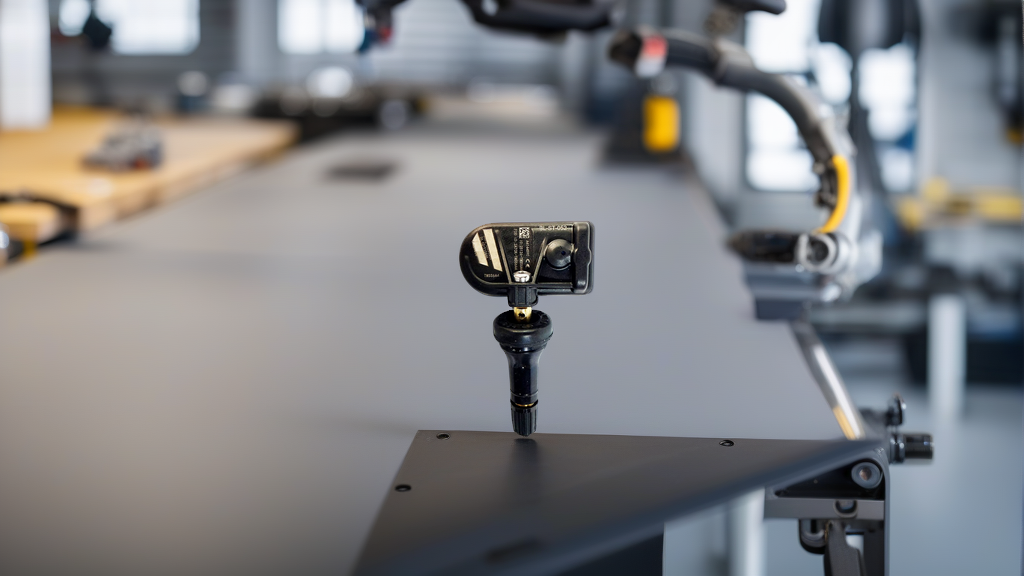
Check the valve stems. A rubber snap-in stem with a metal nut or a metal clamp-in stem pointing to a sensor means direct TPMS. Plain rubber stems on all four wheels usually means indirect.
Direct-TPMS Neta vehicles sold in China and export markets typically run 433 MHz sensors — the same frequency band used across most Chinese OEM platforms. That matters when you’re buying replacements: 433 MHz is not interchangeable with 315 MHz.
The Three Relearn Methods at a Glance
| Method | Tool Required | Typical Time | Drive Cycle Needed? | Best For |
|---|---|---|---|---|
| OBD relearn | TPMS scan tool + OBD cable | 3–8 minutes | Short test drive to verify | New sensors, sensor rotation, stubborn warnings |
| Stationary relearn | 125 kHz trigger tool (or magnet on older protocols) | 2–5 minutes | No | Cars that support it, shop bays, no road access |
| Auto relearn | None (sometimes a scan tool to start) | 10–20+ minutes driving | Yes | One sensor replaced, same protocol family |
If you’re unsure which your Neta supports, start with OBD. It works on the widest range of models and leaves no ambiguity.
Tools You Actually Need
- TPMS scan/programming tool — Autel TS508/TS608, ATEQ VT55/VT56, Launch X431 with the TPMS module, or a Bartec. It must cover the Neta protocol, or at minimum support generic 433 MHz learning.
- OBD-II cable or VCI for the wired relearn.
- 125 kHz activation/trigger tool — many TPMS tools have this built in. A separate trigger tool is useful for stationary relearn.
- Tire inflator with an accurate gauge — placard pressure, not “close enough.”
- Valve core torque tool and a torque wrench for clamp-in stems. Torque specs vary by stem design, so check the sensor or vehicle manual rather than guessing.
- Masking tape and a marker to label wheel positions. Sounds trivial until you’ve written four IDs to the wrong corners.
Step-by-Step: OBD Relearn
- Park on level ground, engine off, parking brake set. Inflate all four tires to the pressure on the driver’s door placard.
- Plug the scan tool into the OBD port under the dash.
- Key on (ignition/READY mode) without starting the motor.
- Select TPMS → Neta → your model → Relearn / Write IDs.
- Trigger each sensor with the tool’s activation function, working left front → right front → right rear → left rear. Wait for the confirmation beep or on-screen checkmark before moving on.
- Read the IDs the tool captured. Match them to the positions you activated.
- Write the IDs to the ECU. Some tools call this “Learn,” “Program,” or “Register.”
- Clear the TPMS fault codes, then cycle the key off and back on.
- Drive for a few minutes above roughly 25 km/h and confirm the warning light stays off and live pressures read correctly.
Step-by-Step: Stationary Relearn
- Inflate to placard pressure and park.
- Put the vehicle in TPMS learn mode — either through the scan tool or the dash menu, depending on trim.
- Hold the trigger tool against the sidewall at the valve stem, pointing at the sensor inside.
- Activate in the order the vehicle expects. On most Neta platforms that’s LF → RF → RR → LR, but confirm on the tool screen.
- Each successful activation gets a horn chirp, a flash of the turn signal, or an on-screen confirmation.
- When all four register, exit learn mode and check the dash for live pressure values.
Some systems time out if you take too long between wheels. If the sequence fails, exit, re-enter learn mode, and start over rather than guessing at the remaining wheels.
Step-by-Step: Auto Relearn
- Confirm the new sensor is the correct frequency and protocol for your Neta. A mismatched sensor will never self-register, no matter how long you drive.
- Inflate all tires to placard pressure.
- Start the vehicle and drive continuously above roughly 40 km/h for 10–20 minutes on a mix of streets and highway.
- Some ECUs need two or three separate ignition cycles before they commit the new ID.
- Do not use the spare during the drive cycle — a spare-mounted sensor can confuse the learn sequence.
If the light is still on after three drive cycles, stop driving and do an OBD relearn. Auto relearn is convenient, not reliable.
After the Relearn
Verify with live data, not just the light. A cleared warning lamp with blank or frozen pressure readings means the ECU hasn’t actually accepted the sensor IDs. Check all four corners individually, then re-check cold pressures after the vehicle sits overnight.
Recommended Part
If you’re sourcing replacement sensors, BL-ST-052 | BH-Sens 433MHz TPMS Tire Pressure Sensor | Fits Forthing | OE# CM5B3685020, CM5B3685020S, SX5G3685020B is a pre-programmed, clamp-in option for the applications listed below — cross-check your OE number before ordering, since TPMS fitment is exact.
| Spec | Detail |
|---|---|
| Brand | BH-Sens (Baolong Technology) |
| Frequency | 433 MHz |
| Type | Clamp-in, pre-programmed |
| OE Numbers | CM5B3685020, CM5B3685020S, SX5G3685020B |
| Compatible Brands | Forthing |
| Dedicated OE Fitments | 16 vehicle applications |
| SKU | BL-ST-052 |
Neta and Forthing are different platforms even though both commonly run 433 MHz hardware. Frequency matching alone doesn’t guarantee a relearn will take — the protocol and OE cross-reference have to line up too.
FAQ
Do I need a scan tool to relearn Neta TPMS sensors?
Not always — if your model supports auto relearn, a drive cycle can be enough. But OBD relearn with a scan tool is faster, works on more trims, and is the only method that lets you confirm the IDs were actually written to the ECU. For a shop or a DIY owner replacing all four sensors, buy or borrow the tool.
What happens if I install a 315 MHz sensor in a 433 MHz Neta?
It will never register. The TPMS ECU listens on one frequency band, and a sensor transmitting on the wrong one is invisible to it. The warning light stays on and no amount of driving will fix it. Always match the frequency and protocol to the original sensor.
Can I relearn TPMS sensors without deflating the tires?
Yes. On most Neta platforms, the activation step uses a 125 kHz trigger signal from the tool, not a pressure change. You still need the tires at placard pressure for the final verification, but you don’t have to let air out to force a wake-up.
How long does a Neta TPMS relearn take?
OBD relearn runs 3–8 minutes in the bay plus a short test drive. Stationary relearn takes 2–5 minutes with no driving. Auto relearn is the slow one — budget 10–20 minutes of continuous driving, and be ready to repeat it if the ECU doesn’t commit on the first cycle.