
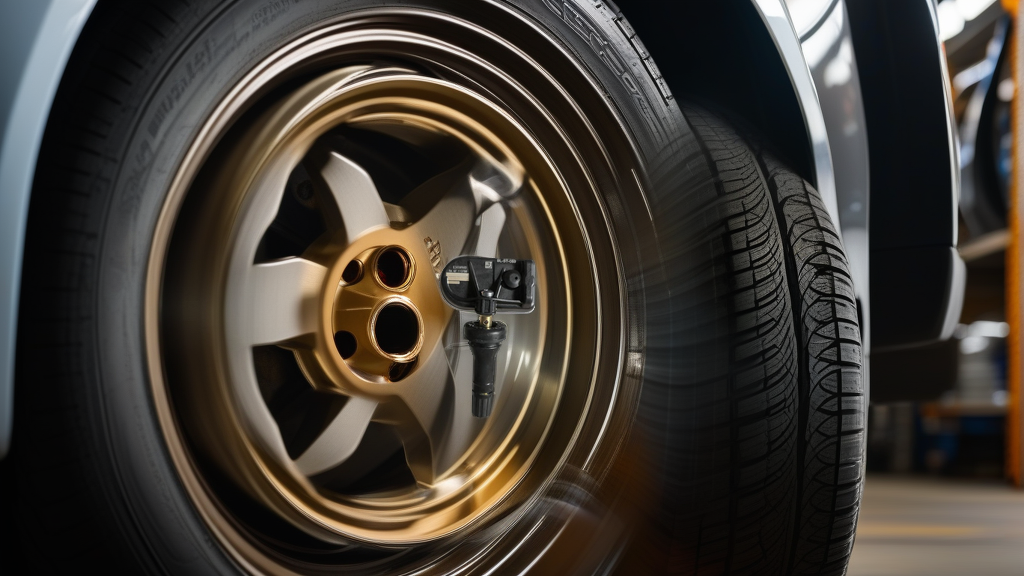
Understanding TPMS Relearn on the UNI-V
The Changan UNI-V, a popular compact sedan from the Chinese automaker, is equipped with a direct TPMS system that uses internal pressure sensors mounted in each wheel. These sensors transmit real-time pressure and temperature data to the vehicle’s ECU. When you replace a sensor—whether with an OEM unit or a compatible aftermarket option like the BL-ST-089 | BH-Sens 433MHz TPMS Tire Pressure Sensor | Fits Avatr, Changan, Deepal, Mazda, Nevo & 1 More | OE# 3601010CD01, 3601010DG01, 3601010MK02—or rotate your tires, the vehicle must “relearn” the new sensor IDs to match each wheel position.
Skipping the relearn step will trigger the TPMS warning light on your dashboard, and the system will not display accurate pressure readings. The UNI-V supports three relearn methods: auto relearn, OBD relearn, and stationary relearn. Each has its own requirements and tools.
Tools You’ll Need for UNI-V TPMS Relearn
| Tool | Purpose | Notes |
|---|---|---|
| TPMS activation tool (e.g., Autel TS508, ATEQ VT56, or Bartec) | Wakes up sensors and reads sensor IDs | Required for OBD and stationary relearn |
| OBD2 TPMS programming tool (e.g., Autel MaxiTPMS, Launch X431) | Writes sensor IDs to the ECU via OBD port | Best for quick, one-click relearn |
| Vehicle owner’s manual | Provides specific menu navigation steps | Check for any model-year variations |
| Tire pressure gauge | Verify tire pressures before relearn | Set all tires to recommended PSI (typically 32–35 psi for UNI-V) |
| Diagnostic scan tool (optional) | Clear any stored TPMS fault codes | Helpful if the warning light remains on |
Method 1: Auto Relearn (Drive-Based)
The auto relearn is the most straightforward method—no tools required beyond your car keys. It relies on the vehicle automatically detecting sensor IDs as you drive.
Step-by-Step Auto Relearn Procedure
- Set tire pressures to the recommended values (check the sticker on the driver’s door jamb).
- Park the vehicle on a level surface and turn off the engine.
- Start the engine and drive at a steady speed between 15–30 mph (25–48 km/h) for 10–20 minutes.
- Maintain consistent speed without hard braking or sharp turns. The system learns sensor IDs based on signal strength and wheel rotation patterns.
- Monitor the TPMS light. It should turn off within 20 minutes if the relearn is successful. If it flashes for 60–90 seconds then stays solid, the relearn is still in progress.
- If the light stays on after 30 minutes of driving, repeat the process or switch to an OBD relearn.
Limitations: Auto relearn can fail if you have aftermarket wheels, tire sizes that differ from stock, or if the new sensors use a different communication protocol. It also requires a clear driving route without traffic stops.
Method 2: OBD Relearn (Fastest and Most Reliable)
Using an OBD TPMS tool is the preferred method for technicians and DIYers who want guaranteed results. This method writes the new sensor IDs directly into the ECU in under 5 minutes.
Step-by-Step OBD Relearn Procedure
- Connect the OBD tool (e.g., Autel TS508 or Launch X431) to the vehicle’s OBD2 port (located under the dashboard, driver’s side).
- Select the vehicle make (Changan) and model (UNI-V) on the tool. If your tool doesn’t list “UNI-V” by name, select “Changan” and choose the nearest equivalent model year.
- Follow the tool’s prompts to activate each sensor. Place the tool’s antenna within 2–3 inches of the sensor (next to the tire’s sidewall, near the valve stem) and press the “Activate” button. The tool will read the sensor ID, pressure, and temperature.
- Repeat for all four tires in the correct sequence: LF (left front), RF (right front), RR (right rear), LR (left rear).
- Select “Program” or “Relearn” on the tool. The tool will send the collected sensor IDs to the ECU via the OBD port.
- Start the engine and verify the TPMS light is off. Check the dashboard display for correct pressure readings.
Why OBD is best: It eliminates the guesswork of auto relearn and works even if the sensors are from different brands. For the UNI-V, OBD relearn is especially useful when using the BL-ST-089 | BH-Sens 433MHz TPMS Tire Pressure Sensor | Fits Avatr, Changan, Deepal, Mazda, Nevo & 1 More | OE# 3601010CD01, 3601010DG01, 3601010MK02, which comes pre-programmed but still requires ID registration.
Method 3: Stationary Relearn (Manual ID Input)
The stationary relearn is a menu-based method that lets you manually input sensor IDs through the vehicle’s infotainment system. You’ll still need an activation tool to read the sensor IDs from each wheel.
Step-by-Step Stationary Relearn Procedure
- Activate each sensor using a TPMS activation tool and write down the 8-digit sensor IDs (e.g., “A1B2C3D4”).
- Turn the ignition ON (engine off) and navigate to the TPMS menu on the UNI-V’s touchscreen. This is usually under: Settings > Vehicle > Tire Pressure.
- Select “Sensor Replacement” or “Learn Mode” (wording may vary by model year). The system will prompt you to input the IDs in sequence.
- Enter the IDs for LF, RF, RR, and LR using the on-screen keypad. Confirm each entry.
- Exit the menu and start the engine. The TPMS light should turn off after a few seconds.
- Drive for 1–2 minutes to verify the system syncs with the sensors.
Note: This method can be tedious if you have to crawl under the car to activate each sensor. It’s best for situations where you only replaced one sensor and have the ID handy from the old sensor’s packaging.
Common Issues and Troubleshooting
- TPMS light remains on after relearn: Double-check that all sensors are transmitting. Use an activation tool to verify each sensor’s signal. If one sensor fails to respond, it may be dead or incompatible.
- Sensor not recognized by OBD tool: Ensure the tool is updated with the latest software. Some aftermarket sensors require the tool to be in “universal” mode.
- Menu option missing: The stationary relearn menu may be hidden in newer UNI-V models. In this case, use OBD relearn instead.
- Auto relearn never completes: This often happens if the vehicle has non-OEM wheels or if the sensors are from a different manufacturer. Switch to OBD relearn.
Recommended Part for UNI-V TPMS Replacement
If you need a replacement sensor for your UNI-V, the BL-ST-089 | BH-Sens 433MHz TPMS Tire Pressure Sensor | Fits Avatr, Changan, Deepal, Mazda, Nevo & 1 More | OE# 3601010CD01, 3601010DG01, 3601010MK02 is a direct-fit, pre-programmed option that works with the factory TPMS system. It’s a clamp-in sensor compatible with multiple Changan-group vehicles (including the UNI-V, Avatr, Deepal, and Mazda models). Always check your vehicle’s exact year and trim to confirm fitment.
FAQ
Can I use any TPMS tool for the UNI-V stationary relearn?
No. The stationary relearn requires a tool that can read and display sensor IDs, not just a simple trigger. The Autel TS508, ATEQ VT56, or Bartec Tech300 are reliable choices. Avoid cheap universal tools that only wake sensors without showing the ID.
What happens if I don’t perform a relearn after installing new sensors?
The TPMS warning light will stay illuminated, and the system will not display pressure readings. In some cases, the vehicle may enter a fail-safe mode that disables stability control or other safety systems. Always perform the relearn within 10 miles of sensor replacement.
How do I know if my UNI-V has auto relearn capability?
All UNI-V models with factory TPMS support auto relearn, but it may be disabled if the vehicle has been modified (e.g., aftermarket wheels or software tuning). Check your owner’s manual under “Tire Pressure Monitoring System” for specifications. If unsure, use OBD relearn for guaranteed results.
Can I reset the TPMS without a tool?
Yes, the auto relearn method requires no tools beyond the vehicle itself. However, it’s slower and less reliable. If you have access to a basic OBD tool, use that instead. For a true “no-tool” solution, drive at steady highway speeds for 20 minutes and hope the system picks up the new IDs.