
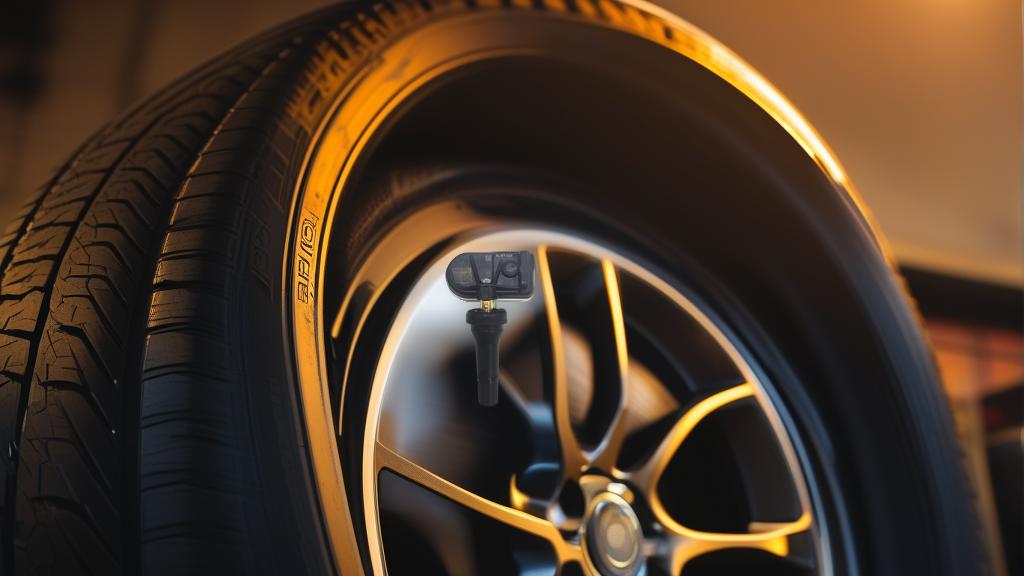
Why Your Oshan TPMS Light Is On
Oshan vehicles (including models like the Cos1°, X7, and X5) use direct TPMS sensors mounted inside each tire. These sensors transmit tire pressure and temperature data via 433MHz RF signals to the vehicle’s receiver module. When the warning light illuminates, it’s the system telling you it cannot reliably read one or more sensors. The two most common root causes are a dead internal battery (sensor lifespan is typically 5-7 years) or external radio frequency interference blocking the signal.
Dead Sensor Battery: The Most Likely Culprit
TPMS sensors contain non-replaceable lithium batteries. Once depleted, the sensor stops transmitting entirely. On an Oshan, a dead battery usually presents as:
- Warning light behavior: The TPMS light blinks for about 60 seconds after startup, then stays solid. This is the system’s “sensor not found” sequence.
- Missing data: The dashboard shows “—” or “0” for one specific tire, while others display normal readings.
- Age factor: If your Oshan is 5+ years old or you’ve never replaced the TPMS sensors, battery death is the first thing to suspect.
Diagnostic step: Use a TPMS activation tool (like an Autel or Bartec) to trigger each sensor. If one sensor does not respond at all – no ID, no pressure, no temperature – the battery is dead. The sensor must be replaced.
Signal Interference: Less Common but Real
433MHz is an unlicensed ISM band shared with garage door openers, key fobs, some LED lighting controllers, and even certain aftermarket dash cams. On Oshan vehicles, interference can cause:
- Intermittent warning light: The light comes on while driving through certain areas (e.g., near power substations, airports, or shopping centers) but turns off after a few minutes.
- Erratic readings: Pressure values jump or drop temporarily, then return to normal.
- Multiple sensors dropping out simultaneously: Interference typically hits all sensors at once, whereas a dead battery affects only one.
Diagnostic step: Drive to a different location (preferably open road away from buildings) and reset the TPMS system per your Oshan owner’s manual. If the warning light stays off, interference is likely. If it returns at the same spot, note that location and test again with a spectrum analyzer if available, or simply park elsewhere.
Comparing Dead Battery vs. Signal Interference
| Symptom | Dead Battery | Signal Interference |
|---|---|---|
| Warning light pattern | Flashes ~60s, then stays solid | Flashes intermittently or only in specific locations |
| Affected sensors | One specific corner | Multiple or all sensors |
| Dashboard pressure data | Missing (“—”) for one tire | All readings present but may fluctuate |
| Trigger tool response | No response from that sensor | All sensors respond, but signal strength may be weak or inconsistent |
| Fix | Replace the sensor | Relocate or shield the interfering device; move vehicle |
Recommended Part for Oshan TPMS Replacement
When you confirm a dead sensor on your Oshan, the most straightforward replacement is a pre-programmed unit that matches the original equipment frequency and protocol. The BL-ST-028 | BH-Sens 433MHz TPMS Tire Pressure Sensor | Fits Avatr, Changan, Deepal, Mazda, Nevo & 1 More | OE# 3601010CD01, 3601010DG01, 3601010MK02 is a clamp-in sensor from BH-Sens (Baolong Technology) operating at 433MHz. It covers OE numbers 3601010CD01, 3601010DG01, and 3601010MK02, which are commonly used on Changan-based platforms including Oshan. Because it is pre-programmed, it will auto-learn to your vehicle after installation without requiring a separate programming tool – simply install it in the wheel and drive above 25 mph for a few minutes to trigger the relearn process.
Step-by-Step Troubleshooting Checklist
- Read the warning light pattern. Note if it blinks then stays solid, or if it flickers on and off.
- Check tire pressures manually with a gauge. If all tires are at proper pressure, the issue is electronic.
- Scan with a TPMS diagnostic tool. Identify which sensor is missing or has weak signal.
- If one sensor is undetected, replace it with a compatible unit like the BL-ST-028.
- If all sensors are detected but signal strength is low, suspect interference. Try turning off aftermarket electronics (dash cam, USB charger, LED lights) and see if the light clears.
- If the light persists after sensor replacement, verify the sensor is correctly paired. Some Oshan models require a TPMS relearn procedure – check your service manual for the specific method (usually magnet-on-valve-stem or driving relearn).
FAQ
How long do Oshan TPMS sensor batteries last?
Original equipment TPMS sensors on Oshan vehicles typically last 5 to 7 years from the production date of the sensor. Battery life depends on driving habits and ambient temperatures. Once the battery dies, the entire sensor must be replaced – there is no user-serviceable battery.
Can I replace just one TPMS sensor on my Oshan, or do I need to replace all four?
You can replace a single sensor. However, if the remaining sensors are 5+ years old, they may fail soon. Many owners choose to replace all four at once to avoid repeated labor costs. The BH-Sens BL-ST-028 is pre-programmed and works independently, so mixing old and new sensors is fine as long as the frequency (433MHz) matches.
Will a TPMS warning light from interference damage my tires?
No. Signal interference does not affect tire pressure or safety – it only prevents the system from reading the sensor data. The risk is that you might overlook an actual low-pressure condition if you dismiss the light as “just interference.” Always verify tire pressures manually when the warning light is on.
How do I reset the TPMS light on an Oshan after replacing a sensor?
Most Oshan models use an automatic relearn. After installing the new sensor, drive above 25 mph for 5-10 minutes. The vehicle’s receiver will detect the new sensor ID and the warning light should turn off. If it doesn’t, consult your owner’s manual – some models require a magnet to be held against the valve stem at a specific sequence.